
Overview
After an import, teams usually need to act on the records: send a follow-up, assign leads or report on the import. Automated ingestion can create HubSpot segments as part of the import, so you can start working with the new and updated contacts straight away.
What this helps you do
- Find every contact included in an import.
- Separate brand-new contacts from existing contacts that were updated.
- Group event contacts into attended, registered and absent audiences.
- Keep event segments organised in one folder.
Available segments
Segment options are available in Automated import options.
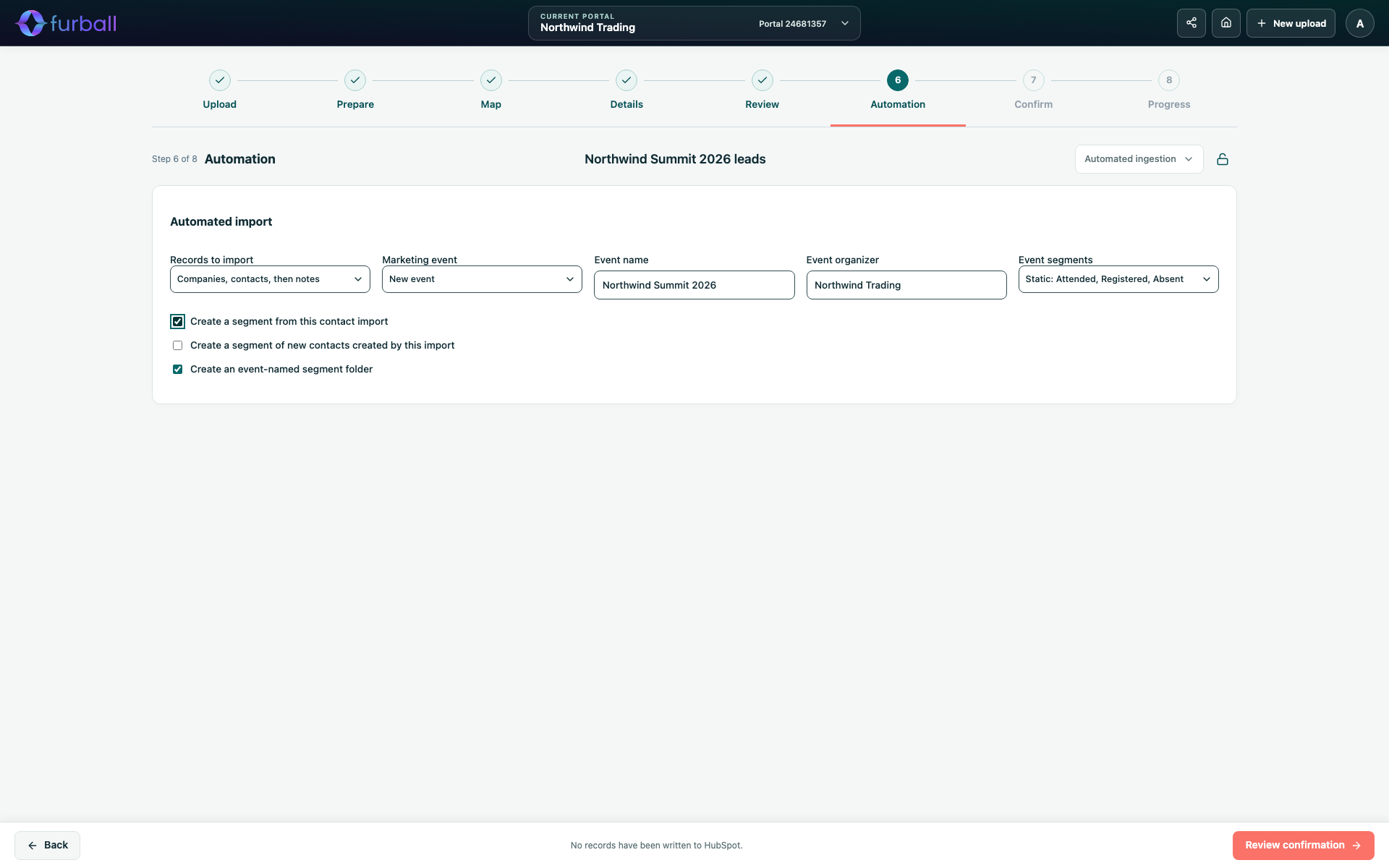
Create a segment from this contact import
Creates a segment containing the contacts in this import, named after the import. It is a fixed snapshot of the import.
Use it for import follow-ups, quality checks and reporting on a specific list.
Create a segment of new contacts created by this import
Creates an active segment called "New contacts - " followed by the import name. It includes contacts whose original source details show they were created by this import.
Use it to send welcome or nurture emails only to new people, without contacting existing customers.
Event segments
When a marketing event is selected, choose Event segments:
- Static: Attended, Registered, Absent: Fixed segments based on this import's contacts and their participation.
- Active: Attended, Registered, Absent: Segments covering every contact in the portal matching the event. They update automatically when participation changes, including from other sources.
Absent means the contact registered for this event but did not attend it.
Create an event-named segment folder
Groups the event segments in a folder named after the marketing event.
Choose static or active segments
- Choose static segments when you need a fixed record of this import, such as for one follow-up campaign.
- Choose active segments when the event will receive participation from other sources and you want one up-to-date audience.
Check segments before confirming
The Confirm screen lists the import segment, new contacts segment, event segments and segment folder. Nothing is created until you confirm the import.
If segment creation needs attention
Segments are created after the records are imported. If segment creation fails or its outcome is uncertain, the records stay imported. In Progress:
- Choose Retry segments only to try again without repeating the import.
- Use Reconcile without resubmitting to match a segment or folder that HubSpot already created, so it isn't created twice.
See Track, Stop and Recover an Automated Import.
Manual imports
When you only prepare files, create segments in HubSpot instead. HubSpot's import tool can create a list of imported contacts, and you can filter contacts by their import in HubSpot.
Why it matters
Segments turn an import into action. Separating new contacts, attendees and no-shows makes follow-up more relevant and prevents unintended emails to existing customers. Consistent names and folders also make imports easier to audit later.
What to do next
- Agree a naming convention for imports, because segments use the import name.
- Read Import Directly into HubSpot with Automated Ingestion before confirming.